PDF to Pictures
Turn PDF pages into high-quality images, 100% on your device.

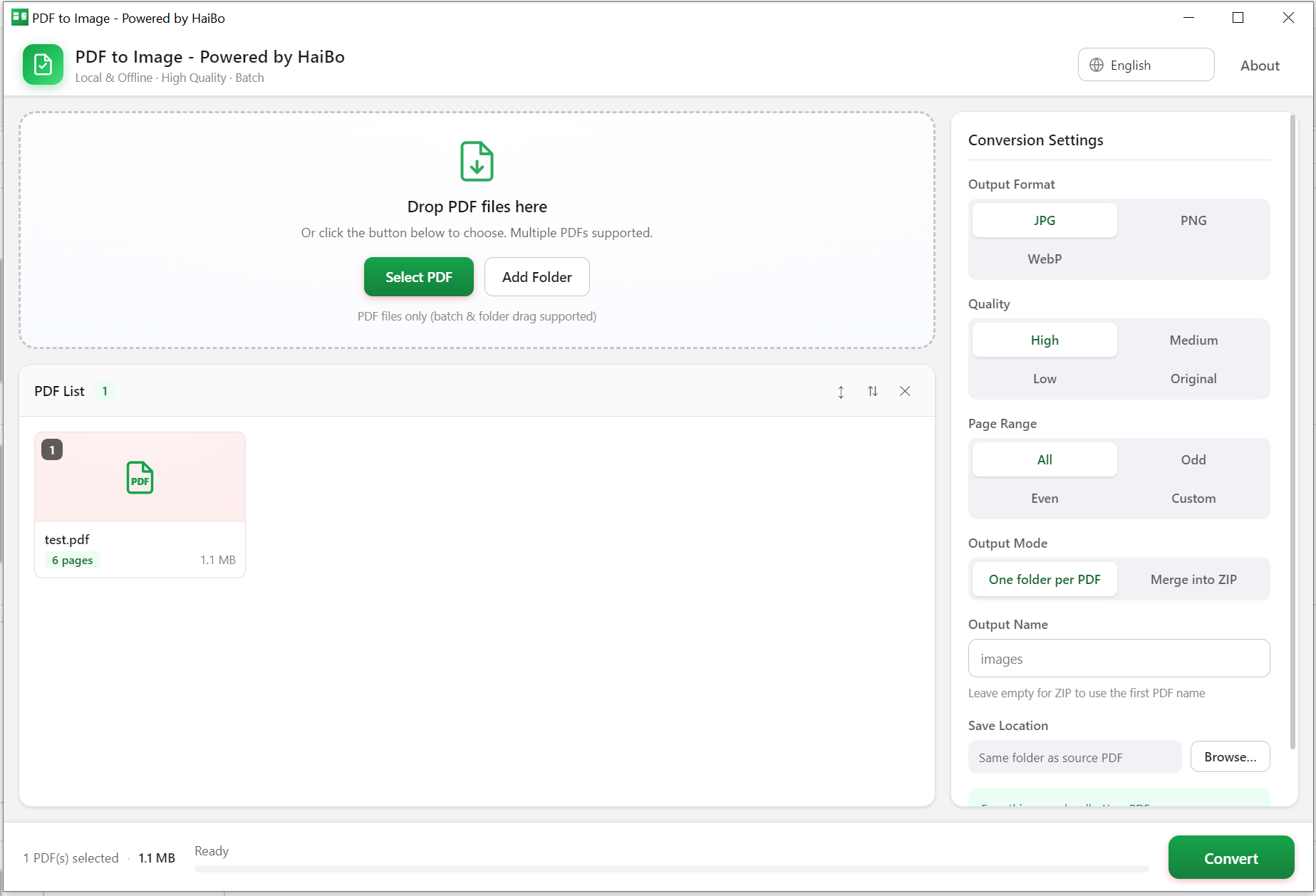
Convert PDF pages to JPG, PNG or WebP on your PC. Batch a whole folder, pick page ranges and quality, then export to a folder or a ZIP archive.
Fully local & offline
Your PDFs never leave your computer. Private by design.
Batch conversion
Convert many PDF files in one run.
JPG / PNG / WebP
Export to the format you need.
Page range & quality
Choose pages and output quality (4 levels).
Product Details
PdfToPictures is a fully local PDF-to-image tool that rasterizes every PDF page into high-quality JPG / PNG / WebP images. It works 100% offline with no uploads and no account, your files never leave your computer, keeping documents private and secure.
- 100% local & offline, no internet, no account, no cloud uploads
- Batch conversion. Drop in multiple PDFs and process them all at once
- Three formats: JPG / PNG / WebP, crisp and lossless
- Four quality presets: High / Medium / Low / Original
- Flexible page ranges: All / Odd / Even / Custom (e.g. 1-3,5,7-9)
- Output options: one folder per PDF, or merge into a ZIP
- Drag-and-drop, intuitive UI, lightweight & fast, customizable save path and filenames
- System
- Windows 10 / 11 (64-bit)
- Download size
- 15 MB
- Memory
- 2 GB
Learn more · How to use
Open the app
Launch PDF to Pictures on your Windows PC.
Add PDFs
Drag one or more PDF files into the window.
Set options
Pick format, page range and quality.
Export
Save images to a folder or a ZIP archive.
Formats: Input: PDF · Output: JPG, PNG, WebP
What's new
- New: choose WebP as the output format.
- Batch runs are about 30% faster on multi-core CPUs.
FAQ
No. Conversion runs entirely on your PC; files are never sent anywhere.
JPG, PNG and WebP, with selectable quality.
Yes. Pick All, Odd or Even, or type a range such as 1-3,5,7-9. Only those pages are rendered, so a long PDF does not slow anything down.
Why download from Microsoft Store
Safe, simple, and always up to date, the way software should be.
Automatic updates
Get the latest features and fixes the moment they're released, no manual downloads, no reminders.
Security certified
Every app is verified by Microsoft, so you can install with confidence, no malware, no surprises.
One-click install
Click Get and you're done. No installers to run, no permissions to configure, it just works.
