Image Format Converter
Convert between 13 formats including HEIC. Fully local & fast.

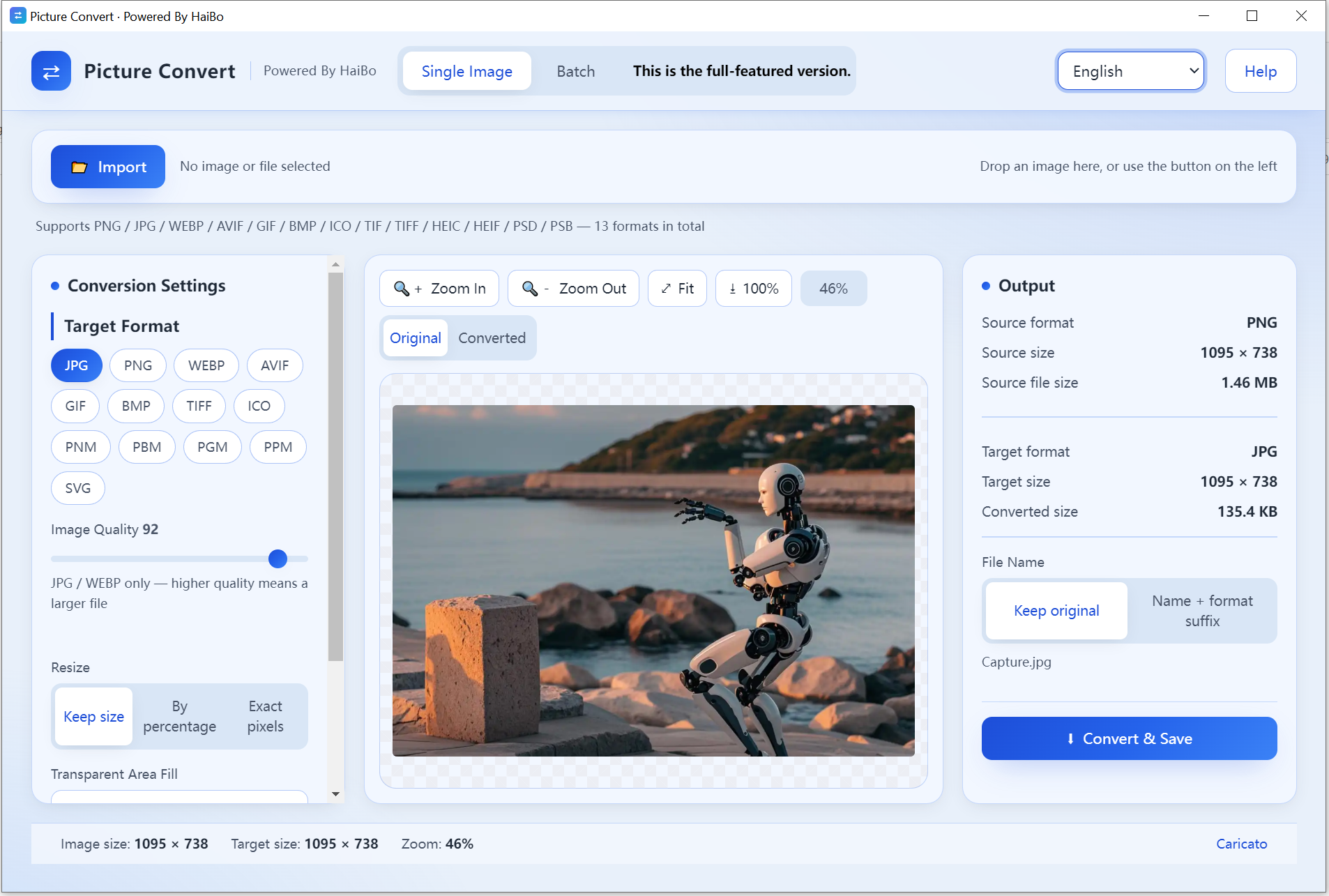
Convert between image formats on your device. HEIC, PSD, AVIF and 13 formats in total, one file or a whole folder, with quality and size controls.
HEIC support
HEIC to JPG / PNG easily.
13 formats
Broad professional coverage.
Single & batch
One file or many at once.
Quality & size
Adjust output settings.
Product Details
picture convert is a fully offline image converter that runs 100% on your PC. No internet, no uploads, total privacy.
- It converts between 13 popular and professional formats: PNG, JPG, WEBP, AVIF, GIF, BMP, ICO, TIF/TIFF, HEIC/HEIF, PSD/PSB
- Open HEIC/HEIF photos and convert them to JPG, PNG or WEBP in one click: no iTunes, no cloud, no waiting
- Photoshop ready: natively read and export PSD and PSB (Photoshop) files, turning design work into shareable JPG, PNG or WEBP
- Single & batch modes: preview the exact output size in single mode, or drop hundreds of files and convert them all at once, zipped into one archive
- Quality & size control: tune compression quality and resize dimensions for the perfect balance
- Blazing-fast and private: every conversion happens locally; your photos never leave your computer
- 9 interface languages, ready to use
From turning iPhone shots into web-ready JPGs to exporting Photoshop artwork as WEBP, picture convert is the lightest, most private converter you can get.
- System
- Windows 10 / 11 (64-bit)
- Download size
- 18 MB
- Memory
- 2 GB
Learn more · How to use
Open the app
Launch Image Format Converter on Windows.
Add images
Load one or many files.
Pick target format
Choose from 13 formats including HEIC.
Convert
Adjust quality and save.
Formats: Input/Output: JPG, PNG, WEBP, BMP, TIFF, GIF, HEIC, ICO, and more (13 total)
What's new
- HEIC files from newer iPhones are recognised.
- Added ICO output for favicon work.
FAQ
No. Conversion runs fully on your PC.
13, including HEIC, JPG, PNG, WEBP, BMP, TIFF and more.
Yes. HEIC and HEIF files open natively, so you can turn them into JPG or PNG without installing anything else.
Why download from Microsoft Store
Safe, simple, and always up to date, the way software should be.
Automatic updates
Get the latest features and fixes the moment they're released, no manual downloads, no reminders.
Security certified
Every app is verified by Microsoft, so you can install with confidence, no malware, no surprises.
One-click install
Click Get and you're done. No installers to run, no permissions to configure, it just works.
