Picture to Text (OCR)
Extract text from images locally, ultra-low-price OCR that never uploads your files.

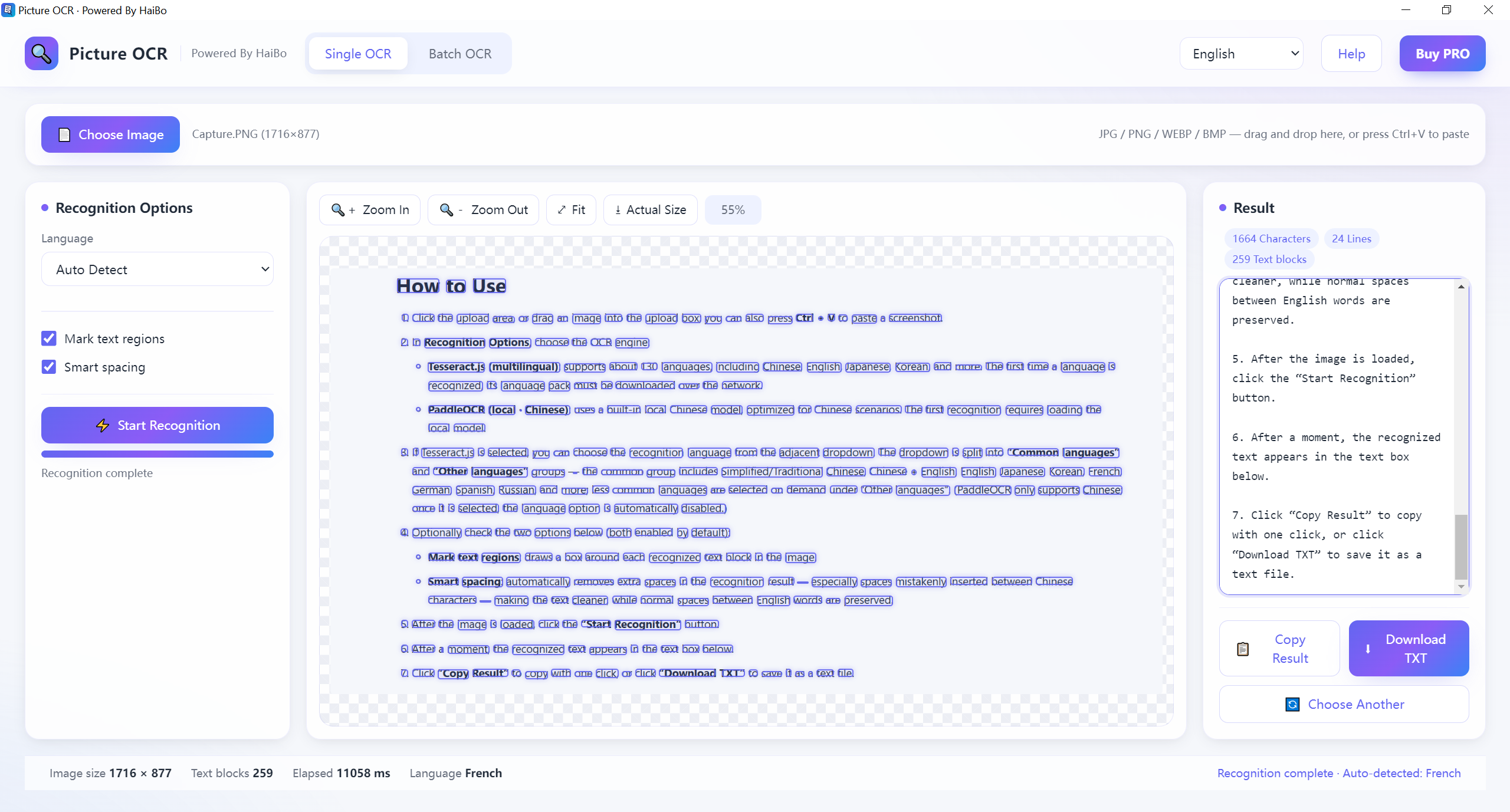
Reads text from photos, screenshots and scans on your device. Output is plain text or JSON; input can be JPG, PNG, WEBP or BMP.
100% local
Text is recognized on your device; nothing is sent to a server.
Photos & scans
Works with photos, screenshots and scanned documents.
Multi-language
Detects many languages automatically.
Copy & export
Copy to clipboard or export as .txt / .json.
Product Details
Pic to Text. Turn any image into editable text in seconds. Extract text from photos, screenshots, scans, and documents with fast, accurate OCR. No uploads, no sign-up, no cloud, everything runs locally on your device, so your images stay private. Copy, save, or export text instantly. Ultra-low-price, fast, and works fully offline.
- System
- Windows 10 / 11 (64-bit)
- Download size
- 12 MB
- Memory
- 2 GB
Learn more · How to use
Open the tool
Launch Picture to Text from your browser — no install needed for the web version.
Add your image
Drop a photo, screenshot or scan into the window.
Run recognition
Click “Start” and the text appears instantly on your device.
Copy or export
Copy the result or save it as a text file.
Supported: Input: JPG, PNG, WEBP, BMP · Output: TXT, JSON
What's new
- Added German and Dutch to the OCR language list.
- Fixed a case where very tall screenshots were cut off at the bottom.
FAQ
No. All recognition runs locally in your browser or app; files never leave your device.
Common images such as JPG, PNG and WEBP. Output is plain text or JSON.
Printed text works best. Handwriting only comes out right when it is fairly neat, so scanned forms and screenshots give the cleanest results.
Why download from Microsoft Store
Safe, simple, and always up to date, the way software should be.
Automatic updates
Get the latest features and fixes the moment they're released, no manual downloads, no reminders.
Security certified
Every app is verified by Microsoft, so you can install with confidence, no malware, no surprises.
One-click install
Click Get and you're done. No installers to run, no permissions to configure, it just works.
