Pictures to PDF
Merge your JPG & PNG into one clean PDF. Lossless and offline.

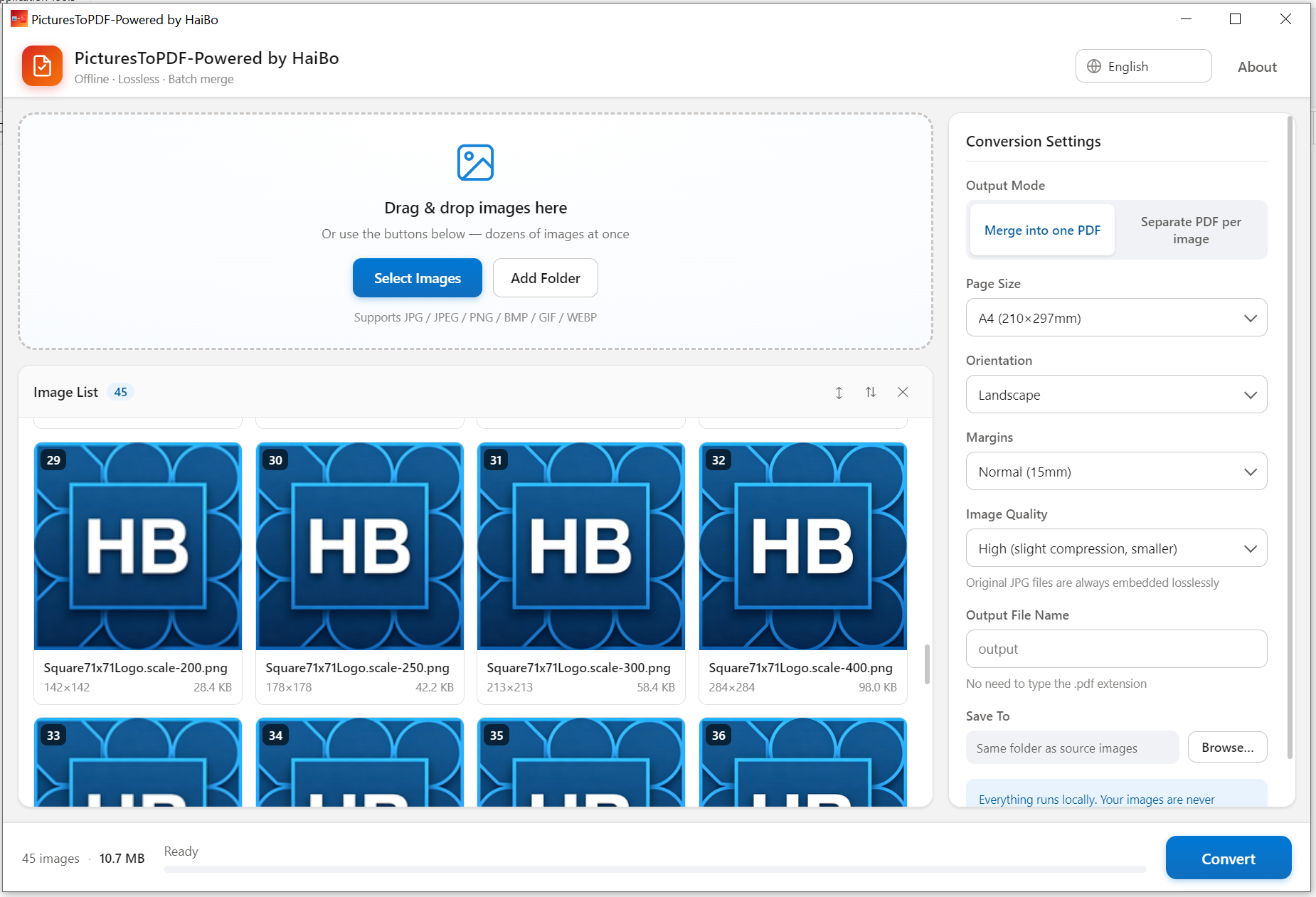
Build a single PDF from dozens of images. Originals are embedded without re-compression, and portrait shots are rotated the right way up. Page sizes: A4, A3, A5 and Letter.
Batch merge
Combine many images at once.
True lossless
Originals stay sharp, never recompressed.
Perfect layout
Auto-center and EXIF rotation fix.
100% local
Private, nothing uploaded.
Product Details
Pictures to PDF: Batch Merge · Offline · Lossless. Turn phone photos, scans and screenshots into a single PDF in seconds. Everything runs entirely on your device. Nothing is ever uploaded, and it works with no internet connection.
- Batch convert, add dozens of images at once, auto-sorted by name, drag to reorder
- True lossless. Original JPGs are embedded directly into the PDF, with no re-compression and zero quality loss
- Perfect layout, every page is centered at the image's original aspect ratio. No stretching, no cropping, EXIF orientation auto-corrected
- 100% offline. All processing happens locally, so your files stay private
- Flexible options. Page size (Original / A4 / A3 / A5 / Letter), orientation, margins, and image quality
- Merge or split, combine everything into one PDF, or export each image as a separate file
- Live progress, progress bar with estimated time remaining, cancel anytime
- Just drag & drop. Drop your pictures in and click Convert
Perfect for
- Archiving scanned documents, contracts and invoices into one file
- Combining travel photos or portfolios into a shareable PDF
- Turning study notes and screenshots into a tidy document
- Sending many pictures to colleagues or clients as a single attachment
- System
- Windows 10 / 11 (64-bit)
- Download size
- 14 MB
- Memory
- 2 GB
Learn more · How to use
Open the app
Launch Pictures to PDF on Windows.
Add images
Add JPG/PNG files in any order.
Arrange
Drag to reorder pages as needed.
Export PDF
Save a single, lossless PDF.
Formats: Input: JPG, PNG, WEBP · Output: PDF
What's new
- Added A5 and Letter page sizes.
- Portrait photos are no longer rotated the wrong way.
FAQ
Yes — images are embedded without recompression, so they stay sharp.
No. Everything is processed locally on your PC.
No. The original JPGs go into the PDF untouched, without re-compression. Only when you pick a smaller page size is the image rescaled.
Why download from Microsoft Store
Safe, simple, and always up to date, the way software should be.
Automatic updates
Get the latest features and fixes the moment they're released, no manual downloads, no reminders.
Security certified
Every app is verified by Microsoft, so you can install with confidence, no malware, no surprises.
One-click install
Click Get and you're done. No installers to run, no permissions to configure, it just works.
